
The Hotel Lobby AI Trend Explained (and How to Make Your Own)
What the viral Hotel Lobby AI video trend is, why cats took it over, the rights questions around it, and how to make an original version with your own photos.
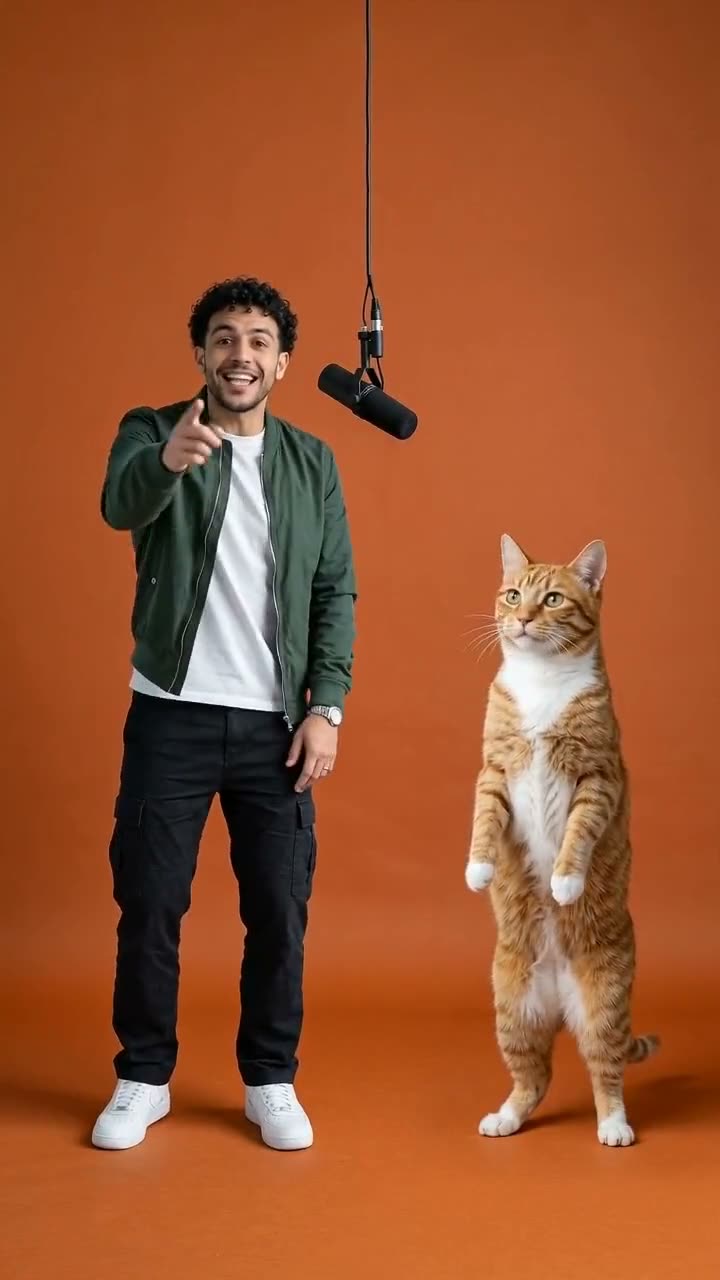
In September 2026 one AI video format took over TikTok: two performers in a bare orange studio booth, a single microphone hanging between them, trading lines back and forth. Within weeks, hundreds of thousands of versions were circulating – with friends, couples, cartoon characters and, most memorably, cats in the booth.
Here's what the Hotel Lobby AI trend is, why it spread so fast, and how to make your own version without copying anyone's footage.
Where the trend comes from
The format is based on a well-known 2022 studio performance of a song called "Hotel Lobby". The original video is simple: two rappers, an orange backdrop, one hanging mic, and a static camera. That simplicity is exactly what made it perfect for AI: a model only needs two faces and a clean, repeatable scene.
The first versions that went viral swapped the performers for two cats. From there it became a template for everything – best friends, couples, sports stars and movie characters.
Why it works so well
- It's a duo. Two people means you can tag a friend, which is why the videos spread through group chats.
- The scene is instantly recognizable. An orange booth and a hanging mic read as "this trend" in the first second.
- It's short. A few seconds of back-and-forth is perfect for a loop.
The rights question
A lot of the viral clips paste new faces onto the original performance. That raises fair questions about using someone else's footage, music and likeness – especially because one of the original performers passed away in 2022, and some fans find the swaps disrespectful.
We think there's a better way to join the trend: make an original video in the same style. That's how our generator works. It builds a new orange booth with a hanging mic around your own photos and animates a new back-and-forth performance. No original footage, no original audio, and only faces you have permission to use.
How to make your own
- Open the Hotel Lobby AI video generator.
- Upload two photos: the first becomes the rapper on the left, the second the one on the right. One subject per photo, facing the camera.
- Click Generate Video and wait a few minutes.
- Post it on TikTok and add the trending sound from the app's music library.
Want the cat version? Use a photo of yourself and one of your cat – the AI stands your cat up on two legs next to you. See the cat rap video maker for tips.