
How to Make an AI Rap Video From a Photo (2026 Guide)
A step-by-step guide to turning one or two photos into a 10-second AI rap video for TikTok, Reels and Shorts – plus tips for photos that look great.
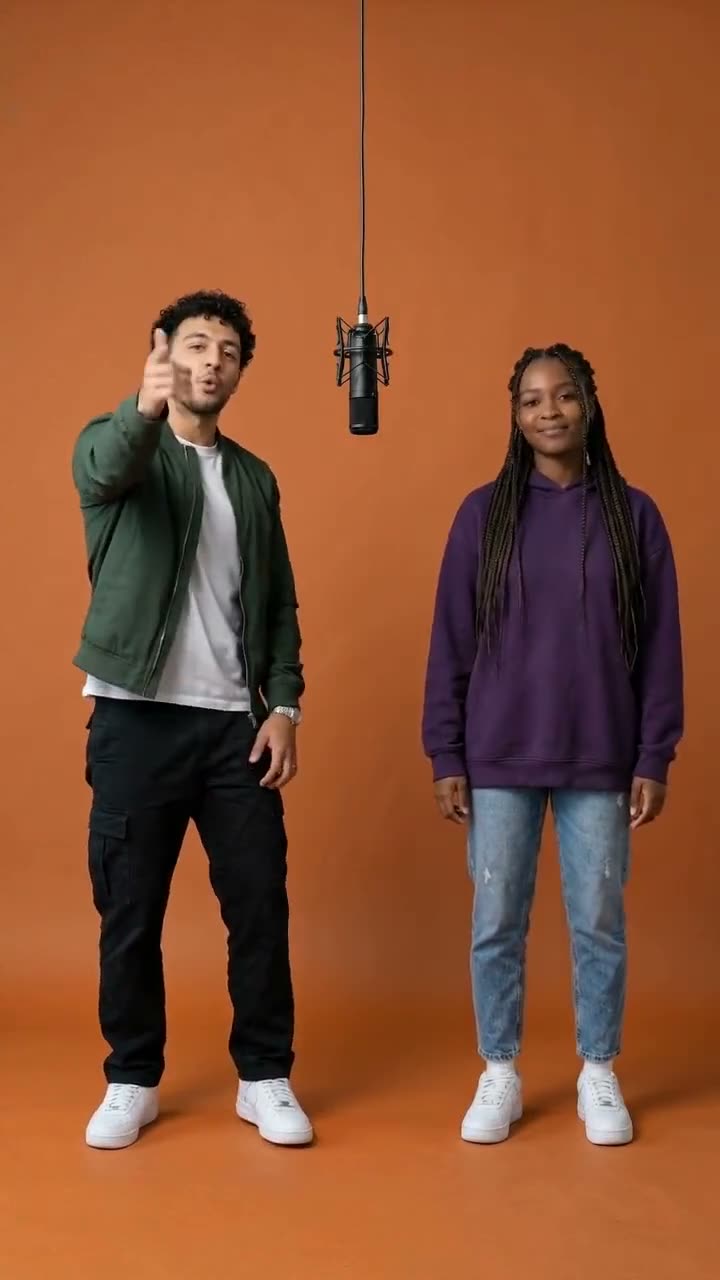
AI rap videos are everywhere on TikTok right now: friends, couples and even cats dropped into a studio booth, trading verses on a hanging mic. The good news is that you don't need to film anything to make one. A single photo is enough.
This guide walks you through making an AI rap video from a photo in a few minutes, and shares the photo tips that make the biggest difference.
What you need
- One photo for a solo rap, or two photos for a duo
- A browser – no app to install
- About 3 minutes
People, pets and cartoon characters all work. The only rule is one subject per photo.
Step 1: Pick the right photos
The photo matters more than anything else. The best results come from photos where:
- The subject faces the camera. A slight angle is fine; a profile shot is not.
- The whole body is visible. The AI animates arms, shoulders and legs, so a full-body photo gives it more to work with.
- The lighting is even. Avoid harsh shadows across the face.
- There is only one person or pet. For a duo, upload two separate photos instead of a group photo.
Skip sunglasses, heavy beauty filters and blurry screenshots – they make faces drift during the video.
Step 2: Upload and generate
Open the AI rap generator and drop your photo into the first slot. For a duo, add the second photo too: the first photo becomes the rapper on the left, the second one the rapper on the right.
Click Generate Video. The AI first builds the scene – a matte orange studio booth with a microphone hanging between the rappers – and then animates it into a 10-second performance. Free videos take about 2–3 minutes; premium videos take 3–4.
Step 3: Add your sound and post
Your video is vertical (9:16), so it is ready for TikTok, Instagram Reels and YouTube Shorts. When you post, add the rap sound you like from the app's music library. Trending sounds give your video the best chance of being discovered.
Free vs. premium videos
Your first video is free. Premium videos use our best model at 720p: movement is smoother, the whole body moves to the beat, and the two rappers react to each other more naturally. Packs start at $9.90 for one video, and your first 3- or 5-video pack is 20% off. See pricing.
Ideas to try
- You and your pet – the most shared format. See the cat rap video maker.
- The Hotel Lobby-style duo – two people taking turns on one mic. See the Hotel Lobby AI video page.
- A birthday surprise – turn the birthday person into a rapper and send the clip to the group chat.
One last thing: only use photos of yourself, people who are happy to be in your video, or your own pets.